Introduction
Every December, music streaming platforms transform into time machines that show you exactly what you’ve been listening to all year. Apple Music Replay is Apple’s answer to this trend, giving you a comprehensive look at your musical journey through the past 12 months. If you’ve ever wondered which songs you played on repeat or which artists dominated your playlists, this feature has all the answers.
Apple Music Replay goes beyond just showing you numbers. It creates a personalized experience that celebrates your unique taste in music. The feature tracks everything from your most played songs to the genres you gravitated toward throughout the year. You can access these insights anytime, not just at year’s end.
In this guide, you’ll discover everything about Apple Music Replay, including how to access it, what information it provides, and how it compares to similar features from competitors. We’ll explore the technical details behind how it tracks your listening, tips for getting the most accurate data, and ways to share your musical year with friends. Whether you’re a casual listener or a music obsessive, understanding Apple Music Replay helps you appreciate your listening habits and discover patterns you might have missed.
What Is Apple Music Replay?
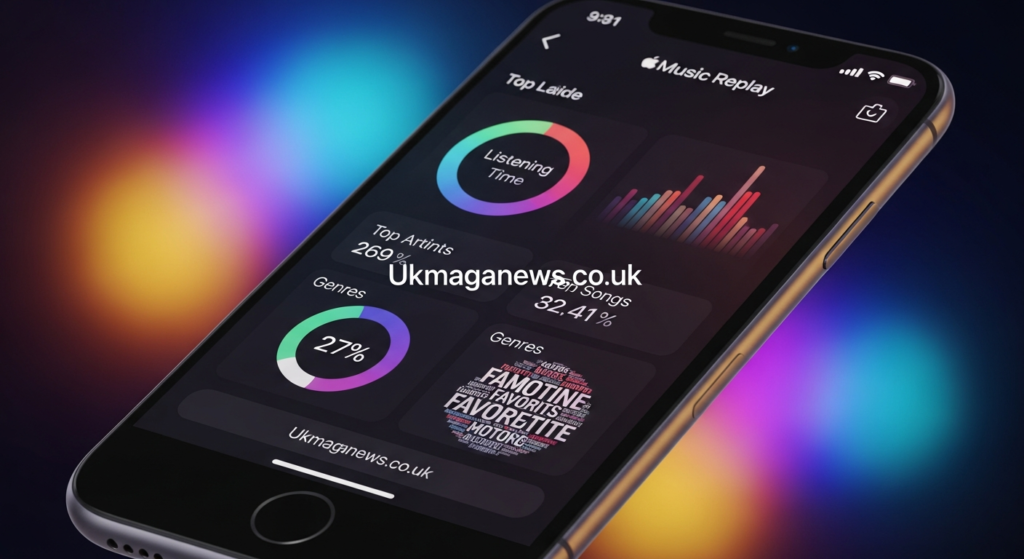
Apple Music Replay is a feature that compiles your listening statistics into an easy to digest format. It shows your most played songs, favorite artists, top albums, and total listening time. The feature updates throughout the year, so you can check your stats anytime rather than waiting until December.
Apple introduced Replay in 2019 as their response to Spotify Wrapped, which had become a cultural phenomenon. While Spotify Wrapped only appears at year end, Apple took a different approach by making Replay available year round. This means you can track your evolving music taste as the months progress.
The feature creates a playlist of your top 100 songs from the current year. This playlist automatically updates as your listening habits change. You’ll also get playlists for previous years dating back to 2015 if you’ve been an Apple Music subscriber that long. These retrospective playlists let you revisit your musical phases.
Apple Music Replay calculates everything based on your actual listening behavior. It counts play time rather than just skip behavior or partial plays. The algorithm factors in how much of a song you actually listen to, giving more weight to tracks you play from start to finish. This creates a more accurate picture of what you genuinely enjoy.
The feature is completely free for all Apple Music subscribers. You don’t need to pay extra or sign up for anything special. If you have an active subscription, Replay automatically tracks your listening in the background. This seamless integration makes it easy to access without any additional setup.
How to Access Your Apple Music Replay
Getting to your Apple Music Replay is straightforward, though the exact steps depend on which device you’re using. Apple provides multiple ways to access your stats, making it convenient regardless of how you typically listen to music.
On iPhone or iPad
Open the Apple Music app on your iOS device and navigate to the Listen Now tab at the bottom. Scroll down until you find the Replay section, which typically appears among other personalized playlists and recommendations. Tap on Replay 2024 or whichever year you want to explore. The playlist opens immediately, showing your top songs ranked by play count.
You can also access a more detailed web version by opening Safari and visiting replay.music.apple.com. Sign in with your Apple ID when prompted. This web interface provides additional statistics beyond just the playlist, including specific play counts, hours listened, and more granular breakdowns. The web version often offers the most comprehensive view of your listening data.
On Mac or PC
If you prefer accessing Replay on your computer, open the Music app on Mac or iTunes on Windows. Navigate to the Listen Now section in the sidebar. Your Replay playlists should appear among your personalized recommendations. Click on the playlist to view your top songs.
Alternatively, use any web browser to visit replay.music.apple.com directly. This method works identically on both Mac and PC. The web interface loads your complete Replay experience with all available statistics and insights. Many users find the web version easier to navigate for exploring detailed stats.
Through the Web Interface
The dedicated Apple Music Replay website at replay.music.apple.com offers the most complete experience. After signing in, you’ll see a visually appealing layout showcasing your top artists with their play counts. Scroll down to explore your most played songs, albums, and genres. The interface updates regularly as you listen to more music.
This web version also lets you easily share your Replay results. Apple provides built in sharing options for social media platforms. You can post your top artists and songs directly to Instagram Stories, Facebook, or Twitter. This makes comparing musical tastes with friends simple and fun.
What Information Does Apple Music Replay Show?
Apple Music Replay provides a comprehensive breakdown of your listening habits across multiple categories. Understanding what data you’ll see helps you know what to expect when exploring your Replay.
Your Top Songs
The most prominent feature is your top 100 songs playlist. This automatically generated playlist ranks every song you played during the year by total listening time. The song you spent the most time listening to sits at number one, with everything else ranked accordingly. The playlist updates weekly as your listening patterns evolve.
Each song listing shows how many times you played it. This play count gives you concrete numbers about your listening habits. Sometimes the results surprise you as songs you don’t consciously remember become top entries. The data reveals your subconscious preferences.
Favorite Artists
Apple Music Replay highlights your most played artists throughout the year. The list shows not just who you listened to most but exactly how many minutes you spent with their music. This artist breakdown often reveals loyalty to specific musicians you might not have realized dominated your listening.
The artist section can lead to interesting discoveries. You might find an artist you streamed constantly during one season but forgot about by year’s end. These patterns tell stories about your musical journey and life events that coincided with certain listening phases.
Top Albums
Your most played albums get their own spotlight in Replay. This section identifies which complete albums captured your attention for extended listening sessions. Album data differs from individual song stats because it shows when you engaged with an artist’s complete work rather than just singles.
Some users discover they listened to an album far more than expected. Maybe you put one album on repeat during work sessions or workouts. The album statistics surface these patterns that might otherwise go unnoticed.
Genre Breakdown
Apple Music Replay categorizes your listening by genre. This breakdown shows what percentage of your listening time went to different musical styles. You might discover you’re more diverse in your tastes than you thought, or conversely, that you’re devoted to one or two genres.
The genre information can be eye opening. Many users assume they listen to a variety of music but find one genre dominates their stats. Others think they’re devoted to one style but discover they’re more eclectic than expected. These insights add self awareness to your musical identity.
Total Listening Time
One of the most striking statistics is your total hours spent listening to Apple Music. This number represents every minute you streamed music through the service during the year. For avid listeners, this number can reach hundreds or even thousands of hours.
Seeing your total listening time provides perspective on how integral music is to your daily life. Some people are shocked by how much time they spend with music. Others feel validated knowing their musical passion translates to concrete data. This metric quantifies something that usually feels abstract.
Station and Playlist Insights
Replay also tracks which Apple Music radio stations and playlists you engaged with most. If you frequently listen to curated playlists or specific radio stations, these appear in your stats. This data shows how you discover and consume music beyond just searching for specific songs.
Understanding your playlist habits reveals your listening behavior. Some people primarily listen to their own playlists, while others rely heavily on Apple’s curated options. These patterns say something about whether you prefer control over your listening or discovering new music through algorithms.
How Apple Music Replay Tracks Your Listening
The technology behind Apple Music Replay involves sophisticated tracking and data analysis. Understanding how the system works helps you interpret your results and ensure accurate tracking.
Apple Music monitors every song you play from start to finish. The system records timestamps, song duration, and what percentage you actually listened to. A song you skip after five seconds counts differently than one you play completely through multiple times. This nuanced tracking creates more meaningful statistics.
The algorithm weighs complete plays more heavily than partial listens. If you consistently skip a song halfway through, it won’t rank as highly as songs you always finish. This prevents situations where songs you don’t actually like dominate your stats just because they appeared in playlists you started but abandoned.
Replay only counts music streamed through Apple Music, not songs in your library from other sources. If you uploaded personal music files or imported songs from CDs, those plays don’t affect your Replay statistics. The system exclusively tracks streams from the Apple Music catalog. This limitation is important to understand when interpreting your data.
Your listening must occur while signed into your Apple ID for accurate tracking. If you listen in offline mode with downloads, those plays still count once you reconnect to the internet. The system syncs your offline listening activity when connectivity resumes. This ensures comprehensive tracking even when you’re not online.
Privacy protections limit what data Apple collects and retains. Your listening history stays associated with your Apple ID but doesn’t get shared publicly or sold to advertisers. Apple emphasizes that Replay data remains private unless you explicitly choose to share it through social media features.
Comparing Apple Music Replay to Spotify Wrapped
The comparison between Apple Music Replay and Spotify Wrapped is inevitable since both serve similar purposes. Each has distinct strengths and weaknesses worth understanding.
Spotify Wrapped generates massive social media engagement every December. The feature presents your data as an interactive story with colorful graphics and shareable cards. Wrapped feels like an event, with Spotify creating anticipation and releasing it as a cultural moment. This presentation style makes it highly viral and fun to share.
Apple Music Replay takes a more understated approach. It focuses on the data itself rather than flashy presentation. The statistics are available year round rather than appearing as a special December event. This accessibility means you can check your stats whenever curiosity strikes rather than waiting.
Wrapped often includes quirky personality assessments and listening persona categories. Spotify tells you things like your “listening personality” or compares your habits to global trends. These creative additions make Wrapped entertaining even if they’re not always deeply meaningful. Apple’s approach is more straightforward and data focused.
Apple Music Replay’s year round availability is a significant advantage for users who want to track their evolving taste. You can see how your top songs change from January to December. Spotify Wrapped only captures your full year, missing the ability to track monthly or seasonal changes in your listening.
The playlist functionality differs between the two services. Apple Music creates your top 100 as a functional playlist you can actually listen to and enjoy throughout the year. Spotify also creates playlists but presents them more as historical records than ongoing listening options.
Getting the Most Accurate Apple Music Replay Data
Several factors influence how accurately your Apple Music Replay reflects your true listening habits. Following best practices ensures your stats represent your actual musical preferences.
Listen Consistently on Apple Music
The most obvious requirement is actually using Apple Music as your primary streaming service. If you split listening between multiple platforms, your Replay will only show a partial picture. For comprehensive data, make Apple Music your main service throughout the year. This creates the most complete and accurate statistics.
Avoid Sharing Accounts
Sharing your Apple ID with family members or friends contaminates your Replay data. Their listening mixes with yours, making your stats inaccurate. Use Apple’s Family Sharing feature instead, which gives each person their own Apple ID and separate Replay. This ensures everyone gets individualized statistics.
Complete Songs You Enjoy
Make an effort to listen to songs fully rather than constantly skipping. The algorithm interprets skipping as disinterest, even if you actually like the song. If you frequently shuffle or skip through playlists, your Replay might not reflect songs you genuinely enjoy. This behavioral awareness improves data quality.
Be Mindful of Background Listening
Music playing in the background while you’re not actively listening still affects your Replay. If you leave Apple Music running all night or during activities where you’re not paying attention, those hours still count. Consider pausing playback when you’re not actually listening to prevent skewing your data.
Check Throughout the Year
Since Replay updates continuously, checking it periodically helps you understand your evolving taste. You might notice a particular artist dominating in spring but disappearing by fall. These observations add context to your year end results and help you remember specific periods and what you were experiencing then.
Sharing Your Apple Music Replay
Apple provides several ways to share your Replay results with friends and social media followers. Sharing your musical taste has become a popular end of year tradition.
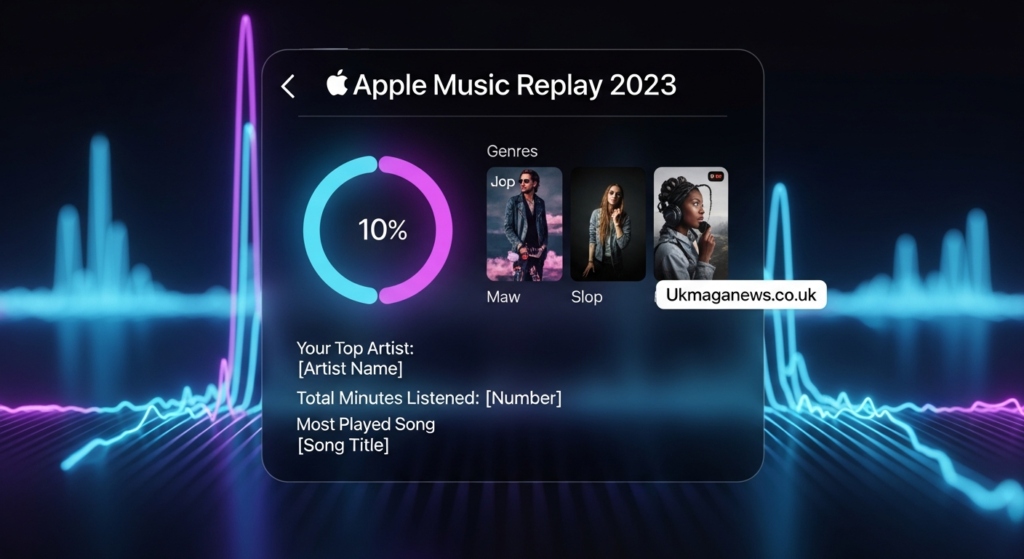
The Apple Music Replay website includes built in sharing functionality. When viewing your top artists or songs, look for share buttons that let you post directly to Instagram Stories, Facebook, or other platforms. These shares typically include attractive graphics showcasing your top artists with play counts.
You can also take screenshots of your Replay statistics and share them manually. This gives you more control over what you reveal and how you present it. Some people prefer sharing just their top five artists rather than the full list, maintaining some privacy about their complete listening habits.
Creating Instagram Stories with your Replay has become particularly popular. The visual format works perfectly for showcasing multiple stats across several story frames. You can reveal your top songs one at a time, building anticipation with your followers. This engagement drives conversations about shared musical interests.
Some users get creative with how they present their Replay data. Instead of just posting raw statistics, they add commentary about why certain songs or artists ranked highly. These personal narratives make the shares more interesting and meaningful than just numbers. Storytelling transforms stats into content.
Remember that sharing listening data is optional and personal. You’re not obligated to post your Replay publicly. Some people prefer keeping their musical taste private. There’s no wrong choice about whether to share or keep your stats to yourself.
Using Apple Music Replay Playlists
The playlists Apple Music Replay generates serve practical purposes beyond just showing statistics. These curated collections become valuable listening resources throughout the year.
Your Replay playlist captures a moment in time musically. Years from now, revisiting your 2024 Replay playlist will transport you back to this period of your life. Music is deeply tied to memory, and these playlists become audio scrapbooks of different life chapters. They preserve your musical identity from specific years.
The playlists work great for parties or gatherings. If someone asks you to play music, throwing on your Replay playlist guarantees songs you enjoy. These are your most played tracks, so they represent your taste authentically. Friends get insight into your musical preferences through these curated lists.
You can edit Replay playlists by adding or removing songs. Maybe a song ranked high because you listened during one intense week but you’re over it now. Feel free to customize these playlists to better represent how you want to remember the year. They’re yours to modify as desired.
Comparing Replay playlists across multiple years reveals how your taste evolves. You might notice certain artists appearing every year while others were just phases. These long term patterns show your core musical identity versus temporary interests. The historical perspective adds depth to understanding your relationship with music.
Some users create their own playlists inspired by Replay data. Maybe you notice certain genres dominating and decide to explore those styles more intentionally. Or perhaps you create a playlist of songs that should have ranked higher based on how much you enjoy them. Replay inspires further playlist curation.
Troubleshooting Common Apple Music Replay Issues
Sometimes Apple Music Replay doesn’t work as expected or shows surprising results. Understanding common issues helps you resolve problems or interpret unexpected data.
Missing or Incomplete Data
If your Replay seems sparse or missing, you might not have listened to enough music yet. Apple Music requires a certain amount of listening history before generating meaningful statistics. If you just subscribed recently or rarely use the service, your Replay will naturally be limited. Give it time and continue listening.
Another cause of incomplete data is listening while signed out of your Apple ID. Any music streamed without being logged in won’t count toward your Replay. Always ensure you’re signed in when listening for your activity to be tracked properly.
Unexpected Songs Ranking High
Sometimes songs you don’t remember listening to rank surprisingly high in your Replay. This often happens when songs appear in playlists you left running. Maybe you played a workout or sleep playlist repeatedly, and certain songs from those playlists accumulated significant play time without your conscious awareness.
Another explanation is family members or friends using your device. If others access Apple Music through your account, their listening mixes with yours. This contamination skews your stats to include music that isn’t actually your preference. Use separate accounts to prevent this issue.
Replay Not Updating
If your Replay playlist seems frozen and not reflecting recent listening, try logging out of Apple Music and logging back in. This forces the system to sync your latest data. Sometimes the automatic updates lag, and a manual refresh resolves the issue.
You can also try accessing Replay through different methods. If the app isn’t showing updates, try the website at replay.music.apple.com. Different access points sometimes show more current data as the system syncs across platforms.
Genre Classification Disagreements
You might disagree with how Apple Music categorizes certain artists or songs by genre. These classifications affect your genre breakdown statistics. Remember that Apple’s taxonomy might differ from your personal understanding of genres. Their categories are broad and algorithmically assigned, not perfectly tailored to individual perspectives.
The Future of Apple Music Replay
Apple continues developing and improving Replay based on user feedback and competitive pressure from Spotify Wrapped. Understanding potential future directions helps set expectations for upcoming years.
Apple could enhance the visual presentation of Replay to make it more shareable and engaging. While the current design is clean and functional, it lacks the creative flair that makes Spotify Wrapped go viral. Expect potential improvements in graphics, animations, and overall aesthetic appeal in future iterations.
More detailed analytics might appear in future versions. Users often request breakdowns by month, season, or specific time periods. Apple could add features showing your listening patterns by day of week or time of day. These granular insights would add depth to understanding your habits.
Integration with other Apple services could expand. Imagine Replay connecting with Apple Fitness to show which songs motivated your best workouts. Or integration with Photos to match your top songs with pictures taken during that period. These cross platform connections would create richer storytelling.
Social features might become more prominent. Apple could add ways to compare your Replay with friends or see aggregated stats across your contacts. Competitive leaderboards or collaborative playlists based on Replay data could increase engagement and virality.
Machine learning could enable predictive features. Apple might forecast what your Replay will look like by year end based on current trends. Or they could suggest new artists similar to your top picks. Predictive and recommendation features would make Replay more than just retrospective analysis.
Privacy Considerations with Apple Music Replay
Understanding how Apple Music Replay handles your data helps you make informed decisions about privacy and sharing.
Apple emphasizes that your Replay data remains private by default. The company doesn’t sell your listening history to advertisers or share it with third parties without your explicit consent. Your musical preferences stay associated with your Apple ID but aren’t used for advertising targeting beyond Apple’s own services.
The data Apple collects for Replay includes song titles, artists, play duration, and timestamps. This information helps Apple improve recommendations and create your personalized statistics. However, Apple uses differential privacy techniques that add mathematical noise to aggregate data, protecting individual privacy.
When you share your Replay results on social media, you control what information becomes public. The share features let you choose which stats to post. You’re never obligated to share anything, and you can enjoy Replay privately without posting publicly. Social sharing is completely optional.
If privacy concerns make you uncomfortable with listening tracking, you can disable Apple Music entirely or not check your Replay. However, there’s no way to use Apple Music without having your listening tracked for features like recommendations and Replay. The tracking is fundamental to how the service operates.
Deleting your Apple Music listening history isn’t directly possible through Replay. However, you can contact Apple Support to request data deletion under privacy regulations like GDPR. This nuclear option removes your history but also resets all personalization features. Most users find the trade off not worthwhile.
Conclusion
Apple Music Replay offers a fascinating window into your musical soul, quantifying what you already knew intuitively about your listening habits. From your most played songs to total listening hours, the feature creates a comprehensive portrait of your year in music. The year round availability sets it apart from competitor offerings, letting you track your evolving taste as it happens rather than just retrospectively.
Understanding how to access Apple Music Replay, interpret the data it provides, and use the playlists it generates enhances your Apple Music experience. Whether you’re excited to discover that an artist you loved dominated your stats or surprised to find unexpected entries in your top songs, Replay delivers insights that make you more aware of your musical identity. The feature transforms passive listening into documented personal history.
As Apple continues developing and refining Apple Music Replay, expect even more sophisticated analytics and presentation. The feature represents Apple’s commitment to creating personalized experiences that celebrate your unique relationship with music. Your listening habits tell your story, and Replay helps you understand and share that narrative.
What does your Apple Music Replay reveal about your year? Check your stats today and discover which songs and artists defined your 2024. Share your top artists with friends and compare your musical journeys.
Frequently Asked Questions
How do I access my Apple Music Replay?
You can access Apple Music Replay by opening the Apple Music app and navigating to the Listen Now tab, where you’ll find your Replay playlist. Alternatively, visit replay.music.apple.com in any web browser and sign in with your Apple ID. The web version provides more detailed statistics beyond just the playlist. Both methods are free for all Apple Music subscribers.
When does Apple Music Replay update?
Apple Music Replay updates continuously throughout the year, typically refreshing weekly with your latest listening data. Unlike Spotify Wrapped which only appears once annually in December, you can check your Replay anytime to see current statistics. The playlist and stats reflect your listening habits up to the most recent update, showing your evolving musical taste in near real time.
Does Apple Music Replay work with downloaded songs?
Yes, Apple Music Replay tracks songs you’ve downloaded for offline listening. Once your device reconnects to the internet, the system syncs your offline listening activity to your account. However, Replay only counts songs streamed from the Apple Music catalog, not personal music files you’ve uploaded or imported from other sources like CDs.
Can I delete or reset my Apple Music Replay?
There’s no direct way to delete or reset your Apple Music Replay through the app or website. The feature automatically tracks all your listening activity while you’re an Apple Music subscriber. If you want to remove your listening history for privacy reasons, you would need to contact Apple Support directly to request data deletion under privacy regulations.
Why are unexpected songs in my Apple Music Replay?
Unexpected songs often appear in your Replay because they were part of playlists you left running, songs that played during sleep or background listening, or music listened to by others using your account. The system counts all playback on your Apple ID, including passive listening. Sharing accounts with family or friends contaminates your personal stats.
Is Apple Music Replay better than Spotify Wrapped?
Apple Music Replay and Spotify Wrapped serve similar purposes with different strengths. Replay offers year round access and historical playlists dating back to 2015, while Wrapped provides more creative presentation and personality insights but only appears once annually. Replay is more data focused and functional, while Wrapped emphasizes shareability and entertainment value. Neither is objectively better.
How many hours of listening does Apple Music Replay show?
Apple Music Replay displays your total listening time in hours and minutes for the current year. This number represents every minute you spent streaming music through Apple Music while signed into your account. Dedicated listeners often accumulate hundreds or even thousands of hours annually, though average users typically see lower totals based on their listening habits.
Can I share my Apple Music Replay on Instagram?
Yes, Apple Music Replay includes built in sharing options for social media platforms including Instagram Stories, Facebook, and Twitter. When viewing your Replay on the website, look for share buttons that create graphics showcasing your top artists and statistics. You can also take screenshots of your stats and manually post them to any social platform.
Does Apple Music Replay include podcasts?
No, Apple Music Replay only tracks music listening, not podcasts or other audio content. Podcasts are managed through a separate Apple Podcasts app and don’t contribute to your music listening statistics. Replay exclusively focuses on songs, albums, and artists from the Apple Music catalog that you stream through the Music app.
What’s the difference between Replay 2024 and previous years?
Each year’s Replay represents your listening for that specific calendar year. Replay 2024 shows your 2024 listening, while Replay 2023 shows your 2023 stats, and so on back to 2015 if you’ve been a subscriber that long. These separate playlists and statistics let you compare how your musical taste evolved over time across different years.
Also Read Ukmaganews.co.uk